Introduction To Toybox 3D Printer
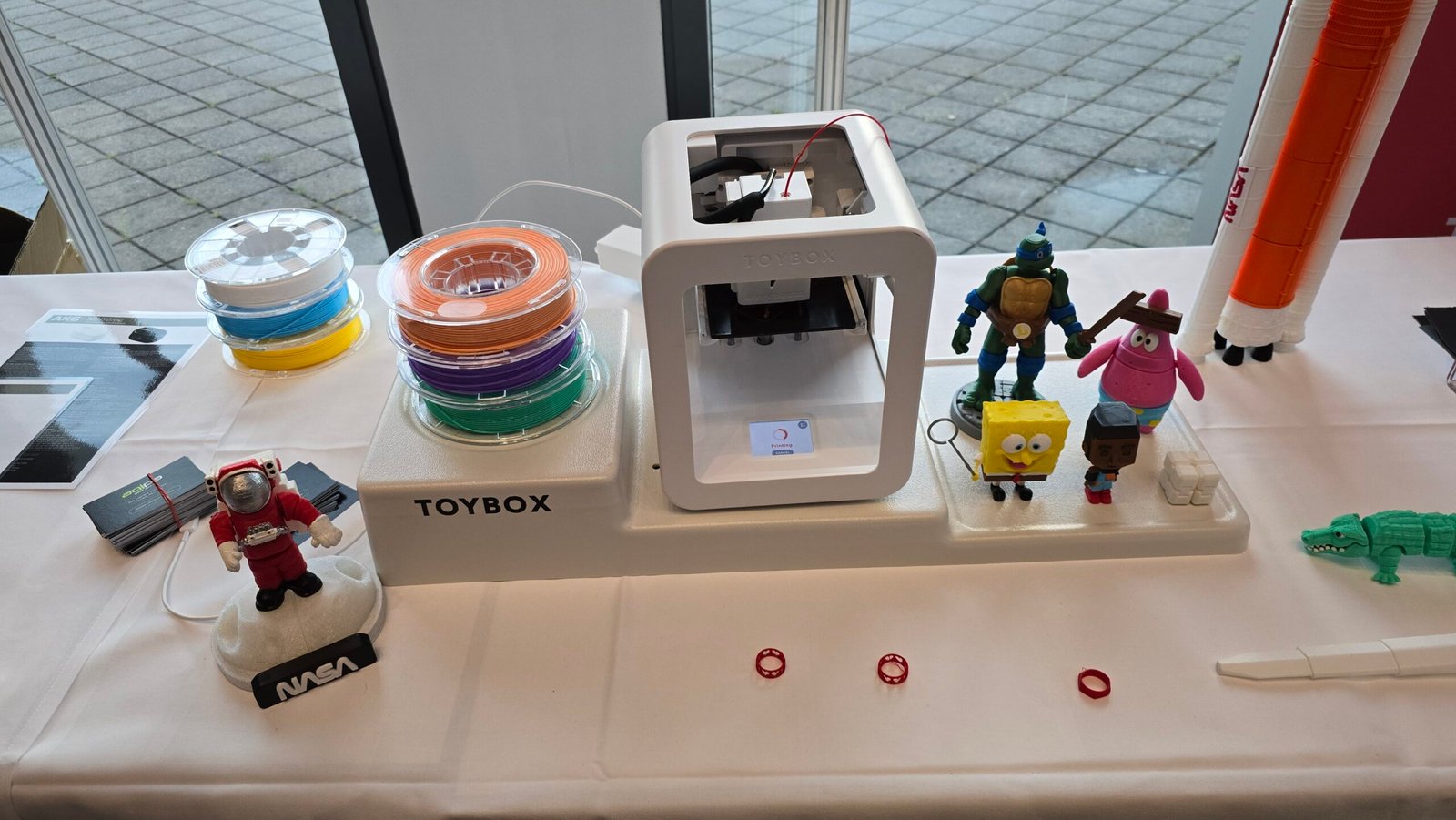
3D printing technology has evolved rapidly over the last decade, moving from industrial manufacturing labs into classrooms, homes, and even children’s playrooms. Among the devices that helped make this transition possible is the Toybox 3D Printer, a compact, user-friendly machine designed specifically for beginners and young creators.
Unlike complex professional 3D printers that require technical expertise, the Toybox printer focuses on simplicity, safety, and creativity. With its intuitive design and easy-to-use software, even children can transform digital designs into physical objects within minutes.
In this comprehensive guide, we’ll explore everything you need to know about the Toybox 3D printer—from its features and benefits to setup instructions, educational uses, safety considerations, and comparisons with other beginner-friendly 3D printers.
What Is the Toybox 3D Printer?
The Toybox 3D Printer is a consumer-friendly 3D printer designed primarily for kids, families, and beginners who want an easy introduction to additive manufacturing.
Unlike traditional 3D printers that require complicated slicing software and manual calibration, Toybox simplifies the process by providing a built-in digital library of ready-to-print designs. Users can browse thousands of objects—such as toys, miniatures, tools, and decorations—and print them with a single click.
Key Highlights
- Designed for kids and beginners
- One-click printing system
- Safe and enclosed design
- Cloud-based toy library
- Wi-Fi connectivity
- Minimal setup required
This approach makes the Toybox printer an ideal entry point into the world of 3D printing.
Key Features of the Toybox 3D Printer
Understanding the features of the Toybox 3D printer helps explain why it stands out in the beginner market.
1. One-Click Printing System
One of Toybox’s most innovative features is its one-click printing capability.
Instead of downloading files, slicing models, and configuring print settings manually, users can simply choose a design from the Toybox app and start printing instantly.
This drastically reduces the learning curve for beginners.
Benefits
- No technical experience required
- Faster start time
- Reduced risk of printing errors
2. Extensive Toy Library
The Toybox ecosystem includes a large online library of 3D printable toys.
Users can access thousands of models, including:
- Mini figures
- Animals
- Vehicles
- Educational shapes
- Seasonal decorations
New designs are frequently added, ensuring a constant stream of creative options.
3. Child-Friendly Safety Design
Safety is a major concern with traditional 3D printers due to high temperatures and moving parts. The Toybox printer addresses these concerns with a child-friendly enclosed design.
Safety features include
- Enclosed printing chamber
- Low-temperature filament
- Simple controls
- Minimal exposed mechanical parts
These features make the Toybox printer suitable for supervised use by children.
4. Wi-Fi and App Integration
The Toybox printer connects to a mobile app and web platform, allowing users to browse designs and control prints remotely.
Compatible platforms
- Web browsers
- Tablets
- Smartphones
- Computers
The interface is designed to be intuitive, making it easy for beginners to navigate.
5. Compact and Stylish Design
Unlike bulky industrial machines, the Toybox printer is small and visually appealing, making it perfect for desks, classrooms, or bedrooms.
Typical dimensions make it portable and easy to store when not in use.
How the Toybox 3D Printer Works
3D printing may seem complex, but the Toybox system simplifies the process.
Step 1: Choose a Design
Users browse the Toybox digital library and select an object to print.
Examples include:
- Toy cars
- Action figures
- Puzzle pieces
- Keychains
Step 2: Start the Print
After selecting a model, users simply press print.
The Toybox system automatically prepares the design for printing, eliminating manual setup.
Step 3: Printing Process
The printer uses Fused Deposition Modeling (FDM) technology.
This method works by:
- Heating plastic filament
- Extruding the material layer by layer
- Gradually building the 3D object
Step 4: Finished Object
Once the printing is complete, the object cools and can be removed from the build plate.
Most Toybox prints take 5–30 minutes, depending on complexity.
Benefits of the Toybox 3D Printer
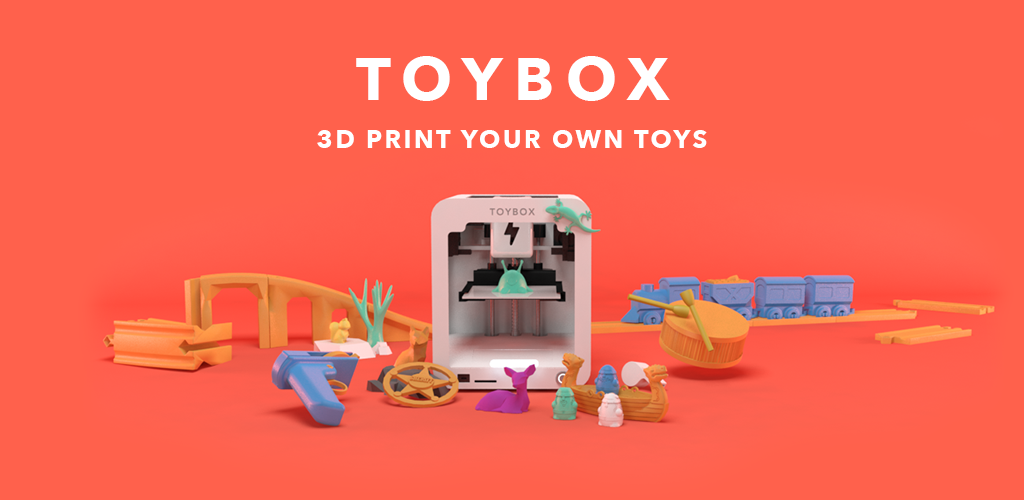
The Toybox 3D Printer offers several advantages that make it popular among families and educators.
1. Easy Learning Curve
Traditional 3D printers require knowledge of:
- CAD software
- Slicing tools
- Calibration
The Toybox printer eliminates these complexities.
2. Encourages Creativity
Children can design their own toys or customize existing models.
This encourages:
- imagination
- creativity
- hands-on learning
3. Educational Value
3D printing helps students understand key STEM concepts such as:
- engineering
- geometry
- design thinking
- problem solving
Teachers increasingly integrate 3D printers into classrooms for these reasons.
4. Affordable Entry Into 3D Printing
Compared to professional printers costing thousands of dollars, Toybox provides a budget-friendly entry point for beginners.
Toybox 3D Printer Specifications
Below are some common specifications associated with the Toybox printer.
| Feature | Specification |
|---|---|
| Technology | FDM (Fused Deposition Modeling) |
| Connectivity | Wi-Fi |
| Print Material | PLA filament |
| Target Users | Kids & beginners |
| Build Area | Small toy-sized objects |
| Control Interface | App / Web browser |
These specs highlight Toybox’s focus on simplicity rather than industrial-level printing.
Toybox 3D Printer Setup Guide
Setting up the Toybox printer is simple.
Step 1: Unbox the Printer
Inside the box you will typically find:
- Toybox printer
- filament spool
- power adapter
- quick start guide
Step 2: Connect to Wi-Fi
The printer must be connected to your home Wi-Fi network.
This allows access to the Toybox design library.
Step 3: Load Filament
Insert the Toybox filament into the designated slot.
The printer automatically feeds the material into the extruder.
Step 4: Create an Account
Users create an account on the Toybox platform to access the toy library.
Step 5: Start Printing
Choose a design and start your first print.
The entire setup process usually takes less than 10 minutes.
Toybox 3D Printer for Education
Many educators use the Toybox printer as a learning tool.
STEM Learning
3D printing introduces students to important STEM topics.
Examples include
- Design and prototyping
- Mechanical engineering concepts
- Geometry and spatial thinking
Classroom Applications
Teachers can use 3D printers to create:
- science models
- math manipulatives
- historical artifacts
- custom learning tools
Encouraging Problem Solving
Students learn to design solutions to real-world problems.
For example:
- creating missing game pieces
- designing custom tools
- building simple machines
Toybox vs Other Beginner 3D Printers
Understanding how Toybox compares to alternatives can help buyers make informed decisions.
Toybox vs Traditional 3D Printers
| Feature | Toybox | Traditional Printer |
|---|---|---|
| Setup | Very easy | Complex |
| Safety | Kid-friendly | Industrial |
| Software | Built-in library | External slicer |
| Target users | Kids & beginners | Hobbyists |
Toybox vs DIY 3D Printers
DIY kits offer customization but require technical knowledge.
Toybox focuses on ease of use and reliability.
Limitations of the Toybox 3D Printer
While the Toybox printer is excellent for beginners, it does have limitations.
Small Build Size
The printer is designed primarily for small toys and objects.
Large models may require splitting into parts.
Limited Advanced Controls
Advanced users may prefer printers with:
- adjustable temperature
- manual slicing
- custom settings
Toybox prioritizes simplicity over customization.
Proprietary Ecosystem
Some features rely on the Toybox platform and library.
However, users can still import external designs if desired.
Tips for Getting the Best Results
To maximize performance from your Toybox printer, follow these tips.
Use High-Quality Filament
Low-quality filament can cause:
- clogged nozzles
- uneven prints
- poor durability
Stick with recommended PLA filament.
Keep the Printer Clean
Regular cleaning helps prevent mechanical issues.
Key maintenance tasks include:
- wiping the build plate
- checking filament feed
- keeping dust away
Start With Simple Designs
Beginners should start with small, simple objects before attempting complex models.
The Future of Toybox 3D Printing
3D printing technology continues to improve every year.
Future developments may include:
- larger build areas
- faster printing speeds
- AI-assisted design tools
- expanded design libraries
Toybox is likely to remain a major player in consumer-friendly 3D printing for families and classrooms.
Internal Linking Suggestions
For website SEO, consider linking this article to related topics such as:
- “Best 3D Printers for Beginners”
- “How 3D Printing Works”
- “Top STEM Learning Tools for Kids”
- “Beginner Guide to PLA Filament”
These internal links help improve site structure and search rankings.
External Authoritative References
To enhance credibility and meet E-E-A-T guidelines, reference authoritative sources such as:
- Educational STEM resources
- Engineering and manufacturing publications
- Academic studies on 3D printing in education
- Technology review platforms
Examples of trusted sources include engineering organizations and major technology publications.
Frequently Asked Questions
Is the Toybox 3D Printer good for beginners?
Yes. The Toybox 3D printer is specifically designed for beginners and children. Its one-click printing system eliminates many technical barriers.
What materials does the Toybox printer use?
The printer typically uses PLA filament, a biodegradable plastic commonly used in consumer 3D printing.
How long does a Toybox print take?
Most prints take 5 to 30 minutes, depending on size and complexity.
Can adults use the Toybox printer?
Absolutely. While designed for kids, many hobbyists and educators enjoy using the Toybox printer for quick and simple projects.
Is the Toybox printer safe for children?
Yes, when used with supervision. The enclosed design and simplified controls help reduce safety risks.
Conclusion
The Toybox 3D Printer has transformed how beginners experience 3D printing. By removing complicated setup steps and providing an easy-to-use design library, it makes additive manufacturing accessible to families, educators, and young creators.
While it may not replace advanced professional 3D printers, its simplicity, safety, and educational value make it one of the best entry-level options available today.
Whether you’re introducing your child to STEM learning, exploring creative toy design, or simply curious about 3D printing, the Toybox printer offers a fun and practical starting point.
As 3D printing technology continues to evolve, tools like the Toybox printer will play a crucial role in inspiring the next generation of designers, engineers, and innovators.
You May Also Read: Pedrovazpaulo Coaching